Why the RTX 3060 and RTX 20 Series Had More VRAM Than Newer GPUs
If you have ever wondered why a budget RTX 3060 shipped with a huge 12GB of memory while a newer, pricier card like the RTX 4060 makes do with just 8GB, you are not alone. It is one of the most repeated questions on PC hardware forums, and the answer has far more to do with engineering math than with generosity. Before judging any card by its memory sticker, remember that VRAM is only one piece of a balanced system, which you can check in seconds with our PC build bottleneck calculator.
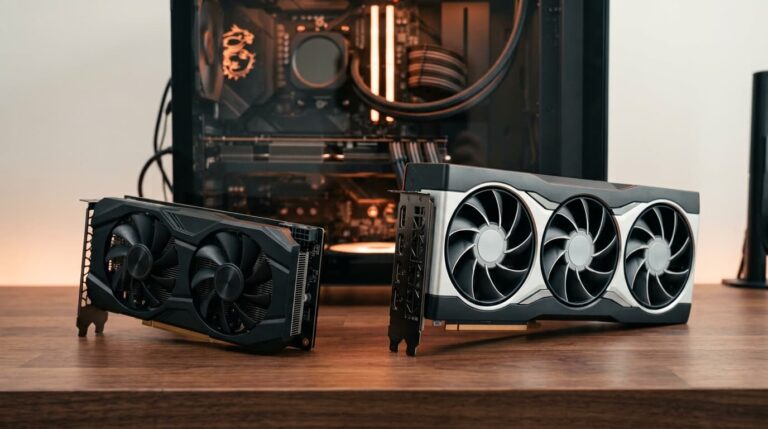
This guide breaks down exactly why older cards like the RTX 20 series and the RTX 3060 carried so much memory, why many newer GPUs quietly offer less, and how much VRAM actually matters for your games.
Why Did the RTX 3060 Ship With 12GB of VRAM?
The RTX 3060 shipped with 12GB because its 192-bit memory bus could only be paired with 6GB or 12GB using the memory chips available at the time. Six gigabytes was clearly too little for a modern card, so Nvidia went with 12GB. That large amount was mostly a side effect of the bus design, not a premium feature.
Here is the part that surprises people: the RTX 3060 ended up with more memory than the faster, more expensive RTX 3060 Ti and RTX 3070, which both had 8GB. It looked upside down on paper, yet it made perfect sense once you understand how memory is wired to a graphics chip. The same logic explains almost every "why does this cheaper card have more VRAM" question you will ever see.
How VRAM Capacity Is Really Decided
A graphics card cannot use just any amount of memory. VRAM chips are attached to the GPU across a memory bus, and each chip sits on a fixed 32-bit slice of that bus. So the bus width sets how many chips a card uses, and the chip density (how many gigabytes per chip) sets the rest. Multiply the two and you get the only capacities that are physically possible.
| Memory Bus | Number of Chips | VRAM with 1GB chips | VRAM with 2GB chips |
|---|---|---|---|
| 128-bit | 4 | 4GB | 8GB |
| 192-bit | 6 | 6GB | 12GB |
| 256-bit | 8 | 8GB | 16GB |
| 352-bit | 11 | 11GB | 22GB |
| 384-bit | 12 | 12GB | 24GB |
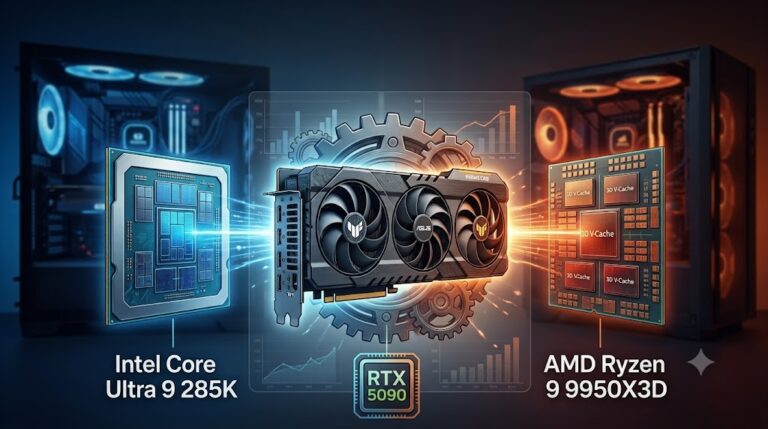
Because the steps are so large, there is often no middle option. On a 192-bit bus you get 6GB or 12GB and nothing in between. Designers can also use a "clamshell" layout that puts chips on both sides of the board to double the memory, which is exactly how oddities like a 16GB version of a card on a narrow bus exist. This same balancing act applies across a whole build, and if you are planning a top-tier system, our guide to a ryzen 9 9950x3d rtx 5090 pairing shows how memory, cores, and power all have to line up.
The RTX 2080 Ti and Its Unusual 11GB
The RTX 2080 Ti is the classic example of a strange-looking number that makes perfect sense. It shipped with 11GB, an amount you almost never see, purely because it used a 352-bit bus. Eleven 32-bit slices meant eleven 1GB chips, which added up to 11GB. The RTX 20 series in general leaned toward generous memory for its era, which is why those cards still feel comfortable in many modern titles even though their raw speed has been left behind. Power delivery matters just as much when you run cards like these hard, so it is worth confirming your headroom with a PC wattage calculator before any upgrade.
Why Do Newer Budget GPUs Have Less VRAM?
If the 3060 got 12GB almost by accident, why did newer mainstream cards go backward to 8GB? The short answer is cost. To keep budget GPUs cheap, manufacturers narrowed the memory bus on newer mainstream chips, and a narrower bus means fewer memory chips and therefore less VRAM. A 128-bit bus caps a standard card at 8GB, full stop.
To make up for the lost bandwidth that a narrow bus would normally cause, newer cards lean heavily on a much larger on-chip cache, which keeps frequently used data close to the GPU. It is a clever workaround for speed, but it does nothing for capacity. There is also a business angle: keeping VRAM low on cheaper cards protects sales of higher tiers and nudges buyers to upgrade sooner.
| Graphics Card | Memory Bus | VRAM | Launch |
|---|---|---|---|
| RTX 2080 Ti | 352-bit | 11GB | 2018 |
| RTX 3060 Ti | 256-bit | 8GB | 2020 |
| RTX 3060 | 192-bit | 12GB | 2021 |
| RTX 4060 | 128-bit | 8GB | 2023 |
| RTX 4060 Ti | 128-bit | 8GB or 16GB | 2023 |
Seen side by side, the pattern is obvious. The wider the bus, the more memory a card tends to carry, and newer budget cards trimmed the bus to hit a price. If you want plenty of headroom on a modern card, a RTX 3060 12GB still holds up surprisingly well, while a RTX 4060 trades memory for a newer architecture and efficiency, and the RTX 4060 Ti 16GB exists for anyone who specifically wants more memory.
Is More VRAM Always Better?
Not automatically. VRAM is like a table you lay your work on. Once the table is big enough for everything you are doing, making it larger does not make you work faster. A weak GPU with 16GB will not beat a strong GPU with 8GB in most games, because raw processing power still sets the ceiling. Extra memory only helps once you would otherwise run out.
Does VRAM Actually Affect Gaming Performance?
It absolutely can, but mainly when you exceed it. When a game needs more memory than the card has, it starts swapping data in and out over the slower system bus, and that shows up as sudden stutters, texture pop-in, and ugly drops in your 1% lows rather than a lower average frame rate. This is exactly why 8GB cards have started to struggle at 1440p with high-resolution textures and ray tracing, even when their core is fast enough. The card is not slow, it is simply out of room.
How Much VRAM Should You Buy in 2026?
The right amount depends on your resolution and the kind of games you play. Use the table below as a realistic starting point rather than chasing the biggest number on the box.
| Use Case | Recommended VRAM |
|---|---|
| 1080p esports and older titles | 8GB is fine |
| 1080p modern AAA, high textures | 8GB to 12GB |
| 1440p gaming | 12GB to 16GB |
| 4K gaming | 16GB or more |
| Ray tracing and content creation | 16GB or more |
If you are shopping now, match the memory to how you actually play, then make sure the card itself is quick enough to use it. Our roundup of the best GPU for gaming pairs capacity with real performance so you do not overpay for memory you will never fill.
Final Thoughts
The RTX 3060 and RTX 20 series looked unusually generous with memory, but it was mostly a byproduct of wider memory buses and the chip densities of their time. Newer budget cards carry less VRAM because manufacturers narrowed the bus to save money and leaned on cache for speed. For buyers, the lesson is simple: judge a card by whether its memory matches your resolution and its core, not by the sticker alone. And since a graphics card is only one part of a healthy system, keep the rest balanced too, from your processor pairing down to your storage setup with tools like our RAID Calculator.
Affiliate disclosure: As an Amazon Associate we earn from qualifying purchases. Some links on this page are affiliate links, which means we may earn a small commission at no extra cost to you.
Note: Specifications and availability change over time and were accurate at the time of writing.