GeForce NOW Goes Back to School: Native Linux App, Chromebook Gaming, and Faster Frames
GeForce NOW is kicking off the back to school season with one of its most useful updates in a while, and it is not just about new games. NVIDIA's cloud gaming service has taken its native Linux app out of beta, sharpened the responsiveness of its cloud based Frame Generation, and handed Performance tier members a free frame rate boost in demanding titles. It has also leaned into a genuinely clever idea: turning an ordinary Chromebook into a high end gaming machine. The beauty of cloud gaming is that it sidesteps the usual worry about whether your own hardware can keep up, so there is no need to run your parts through a benchmark calculator pc before every big release. Still, if you also game on local hardware, the two worlds are worth comparing, and we will get to that.
The Native Linux App Finally Graduates From Beta
For Linux gamers, this is the headline. GeForce NOW's dedicated Linux app has officially left beta after months of community testing, and the finished release is focused squarely on performance, stability, and polish rather than flashy new features. It supports Ubuntu 24.04 and later, and a new Flatpak repository makes both the initial install and future updates refreshingly painless.
Why does this matter so much on Linux specifically? Because the cloud does the rendering. Instead of wrestling with driver quirks, compatibility layers, or expensive hardware upgrades just to run the latest releases, Linux users can now tap straight into current generation GeForce RTX power while staying on the setup they prefer. It is an elegant answer to a problem that has frustrated Linux gamers for years, and it means your local graphics card no longer decides which games you get to enjoy. If you do still play on local hardware and want to know what your own machine can push, a quick framerate calculator estimate is the fastest way to set expectations before you commit to a title.
Cloud Frame Generation Just Got More Responsive
One of the quieter stars of this update is a refinement to DLSS Frame Generation running in the cloud. Frame Generation boosts smoothness by inserting AI generated frames between the ones your GPU actually renders, but in a streaming context the constant challenge has been latency. NVIDIA has optimized the technology on the server side to trim that latency and make the whole experience feel noticeably snappier.
The difference shows up most when you are streaming at 60 or 120 frames per second at 1440p or 4K, where every camera pan and mouse flick lands with less delay. For fast paced shooters and action games, that immediacy is exactly what separates a decent cloud session from a great one. It is the kind of behind the scenes improvement you feel more than you see, and best of all it arrives automatically, without you touching a single setting.
Performance Members Get Free Extra Frames
Here is the part that costs nothing and asks nothing of you. Performance tier members are receiving a round of server software optimizations that lift frame rates in select CPU intensive games. These are the titles where the processor, not the graphics card, tends to be the limiter, think dense simulations, busy open worlds, and strategy games with a lot happening on screen at once.
Because the upgrade happens entirely on NVIDIA's servers, there is nothing to download, install, or configure, and it does not add a penny to your subscription. You simply load into a supported game and it runs a little smoother than it did last week. This is one of cloud gaming's underrated advantages: the hardware quietly improves around you over time, with zero effort on your end. On a local machine, that same CPU limitation is something you would have to diagnose and fix yourself, and if you game on a laptop, our fps calculator laptop guide walks through how power limits and cooling shape your real world frame rates.
Your Chromebook Is Secretly a Gaming PC
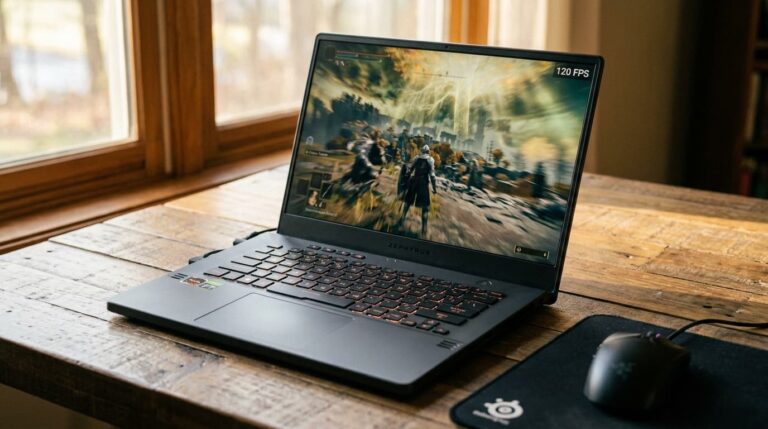
This is the update's most eye catching angle, and the one aimed squarely at students. The Chromebook that handles lectures, shared documents, and a wall of browser tabs can moonlight as a high performance gaming rig, and it takes only a few clicks.
When the school day ends, you open a supported browser or the GeForce NOW app and stream from a library of more than 2,000 supported PC games, with NVIDIA's cloud doing all the heavy lifting. There is no lengthy install, no massive download eating your storage, and no anxiety about whether the hardware can cope, because the actual rendering happens on a remote GeForce RTX server. The same trick works on Macs, Surface devices, everyday laptops, the Steam Deck, and even phones, which makes GeForce NOW one of the most device flexible ways to play PC games right now. For a lightweight machine that was never designed for gaming, that is a remarkable second life.
Chromebook Fast Pass: A Free Year of GeForce NOW
To sweeten the deal, NVIDIA is offering something called Chromebook Fast Pass. Eligible new Chromebook and Chromebook+ owners can claim a full year of GeForce NOW at no cost, complete with priority access to gaming servers and an ad free experience.
For a student who just picked up a Chromebook for coursework, that is a year of high end PC gaming layered on top of a device they already bought for school, with no extra spend and no console required. Study on it during the day, stream a demanding AAA game on it at night, all on the same laptop. It is a compelling pitch, and it underlines how far cloud gaming has matured into a real alternative to owning powerful local hardware rather than a novelty.
Cloud Gaming or a Local PC: How to Decide
So does all of this mean you should give up on building a gaming PC? Not necessarily. Cloud gaming is brilliant for flexibility, low upfront cost, and playing across devices, and it removes the hardware guesswork almost entirely. A local PC still wins on absolute latency, offline play, mods, and long term value if you game seriously and often.
If you are leaning toward a local build, the usual rules apply: balance your processor and graphics card, match them to your monitor, and do not cut corners on the power supply. Sizing that last part is simple with a be quiet psu calculator, which tells you the wattage your components actually need so you neither overspend nor come up short. In practice, plenty of gamers happily run both, a capable desktop at home and GeForce NOW on a laptop or Chromebook when they are out, and this update makes that second option stronger than it has ever been.
Nine New Games Join the Library This Week
Naturally, a GeForce NOW update would not be complete without fresh additions, and this week brings nine new titles to the ever growing catalog. With more than 2,000 games already supported and new ones landing regularly, the hardest part is usually deciding what to play rather than worrying about whether you can run it. That is the whole appeal of cloud gaming in a single sentence: the library comes to you, and the device in your hands barely matters.
The Bottom Line
This back to school update is a strong reminder of why cloud gaming keeps winning people over. A polished native Linux app, more responsive Frame Generation, free frame rate gains for Performance members, and the ability to turn a Chromebook into an RTX gaming machine all point in the same direction: play more, on more devices, with less hardware to fuss over. Whether you stream everything through GeForce NOW, build a local rig, or run both, the takeaway is that great PC gaming has never been more accessible, and it is finally meeting players wherever they already are.
Source and disclosure: This article is an independent summary and commentary based on NVIDIA's official GeForce NOW announcement. All product features, names, and offers belong to NVIDIA, and details are subject to change. Read the original announcement here: GeForce NOW native Linux app leaves beta (blogs.nvidia.com).